
Key Takeaways
- Emphasis on user-friendly and accessible design in location interfaces.
- Integration of advanced technologies such as AI and AR to enhance the user experience.
- Focus on personalization and context-aware features to meet individual user needs.
Mobile applications have become essential tools for everything from navigation to deliveries, putting tremendous pressure on designers to create location and address interfaces that are seamless, efficient, and intuitive. With evolving user expectations and the growing role of mobile technology in daily life, understanding the latest trends is critical for crafting experiences that truly engage and help users. For those looking to explore fresh approaches and effective layouts, address UI examples can serve as inspiration for both new projects and improving existing interfaces.
Users demand experiences that are not only visually appealing but also responsive to their unique needs. Mobile app designers must prioritize usability and ensure a balance between simplicity, advanced features, and accessibility. Innovations such as artificial intelligence and augmented reality are reshaping the user experience on location and address screens, setting new standards for interaction and engagement across industries.
Minimalist Design for Clarity
Minimalism continues to dominate mobile UI design, especially for location and address interfaces. A clean, streamlined approach helps users focus on their immediate tasks, reducing visual clutter and confusion. Effective layout choices, such as ample whitespace, legible fonts, and limited color palettes, allow the most important details to stand out. By focusing on the essentials and removing unnecessary features, designers can guide users with clarity and purpose, as seen in leading navigation and delivery apps.
AI Integration for Predictive Input
Artificial intelligence has enabled mobile apps to anticipate and streamline address entry. Features like predictive text and intelligent auto-complete not only save users considerable time but also minimize typographical errors during manual input. This is particularly important with longer or complex addresses, where mistakes can lead to failed deliveries or missed appointments. As AI becomes more advanced, machine learning can further personalize suggestions based on frequent destinations, the user’s calendar, or recent behavior, as detailed in this overview of AI’s role in everyday life.
Augmented Reality for Enhanced Navigation
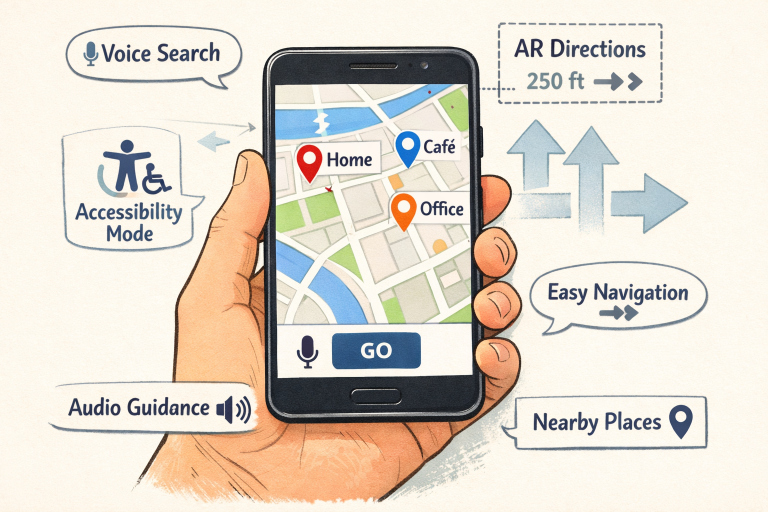
Augmented reality is revolutionizing how users interact with physical spaces via digital overlays. Instead of deciphering static maps, users now benefit from real-time navigation that merges camera feeds with navigation cues, markers, and information visible through their devices. This approach greatly assists with indoor navigation and exploring unfamiliar environments, especially in large venues or urban centers. AR is also used to visually highlight the exact pickup or drop-off locations, reducing confusion and streamlining logistics.
Personalization and Context-Aware Features
Modern users expect applications that can adapt to their unique routines and preferences. Personalization in location and address interfaces includes custom suggestions based on usage patterns, remembered destinations, and contextually relevant prompts, such as “Home” or “Work” at key times of day. Context-aware features can even prompt users to save frequent routes, receive estimated travel times based on traffic, or surface relevant information based on the user’s immediate surroundings.
Voice User Interfaces for Hands-Free Interaction
Voice interaction is increasingly central to accessible and efficient mobile use. Voice User Interfaces allow users to enter addresses or request navigation hands-free, a tremendous benefit for drivers and others who prefer not to type. By integrating with voice assistants like Siri, Google Assistant, or Alexa, mobile apps can offer seamless address search, edits, or confirmations using natural language. Emerging technologies aim to make these interactions even more conversational, further improving both speed and accuracy.
Accessibility and Inclusive Design
Designing location and address interfaces for accessibility ensures everyone can use mobile applications comfortably, including individuals with disabilities. Considerations include dynamic text sizing, screen reader compatibility, color contrast adjustments, and haptic feedback for critical actions. These features allow apps to comply with accessibility standards and provide a genuinely inclusive user experience. As best practices continue to develop, inclusive design is becoming a hallmark of responsible digital product creation.
Microinteractions for User Engagement
Microinteractions, small, purposeful animations or vibrations- provide immediate feedback and keep users informed about their actions in real time. Whether it is a button that animates when pressed or a subtle vibration after confirming an address, these touches increase satisfaction and reduce the risk of user error. Microinteractions also reinforce brand identity and can subtly guide users to optimal behaviors, increasing overall engagement and retention.
Dark Mode for Visual Comfort
The addition of dark mode is far more than a visual trend. It serves a practical purpose by reducing eye strain, especially in low-light conditions, and can preserve battery life on OLED screens. Users appreciate the ability to switch between light and dark themes depending on their environment or preferences. Providing consistent, readable layouts across modes demonstrates attention to detail and improves long-term usability across user demographics.
Final Thoughts
Location and address interfaces are core elements that often define a user’s mobile experience. By examining and adopting current design trends such as minimalism, advanced technical integrations, and user-first design, developers can craft products that not only perform efficiently but also consistently delight and retain users in an evolving digital world.